From a rough idea to a developer-ready spec — in one flow.
AI Requirements Bridge turns short requirement descriptions into complete specification packages, right inside Microsoft Dynamics 365 Business Central. A Copilot agent refines every requirement in a guided Q&A dialog, scores its quality, and generates seven documents ready to hand to any development team.
How it works
From a one-paragraph idea to a dispatched quote request — without a single media break.
Capture
Write a short requirement in Business Central — a title, a category and a free-text description.
Refine with AI
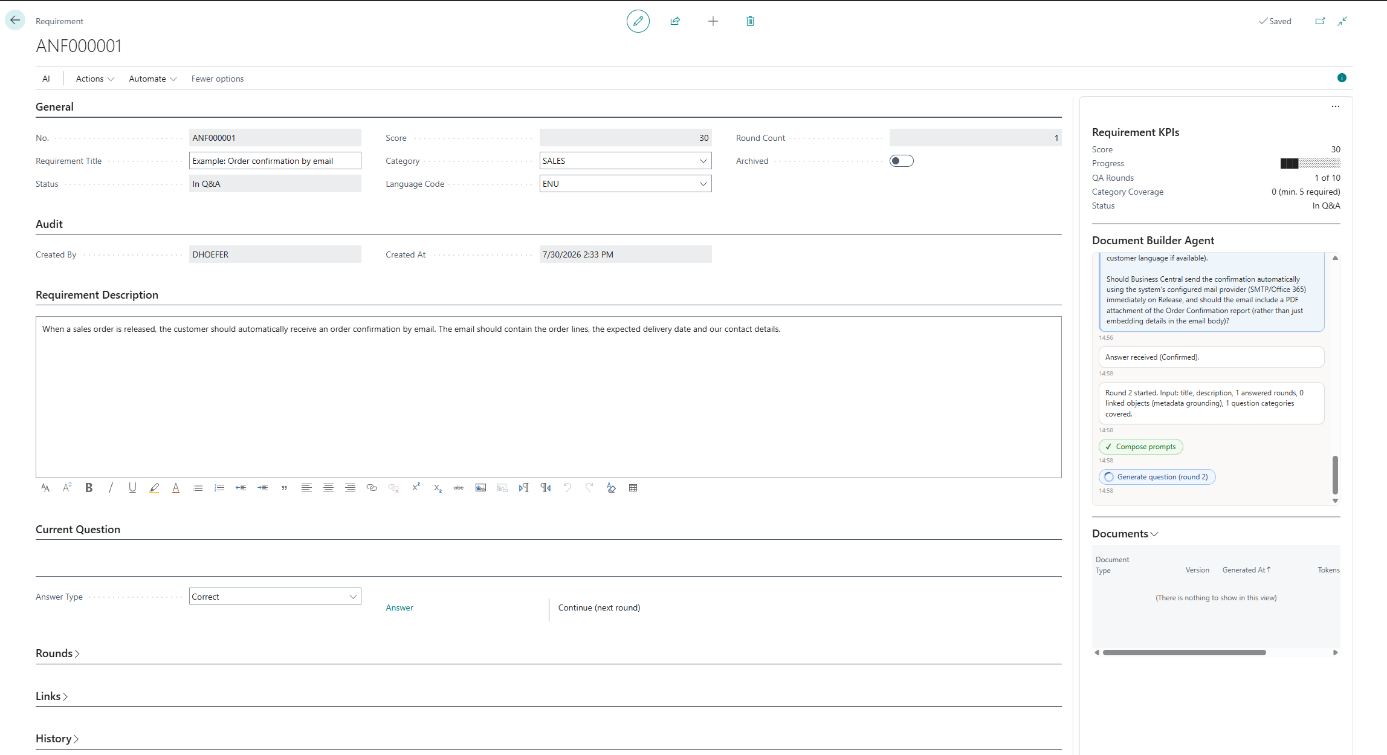
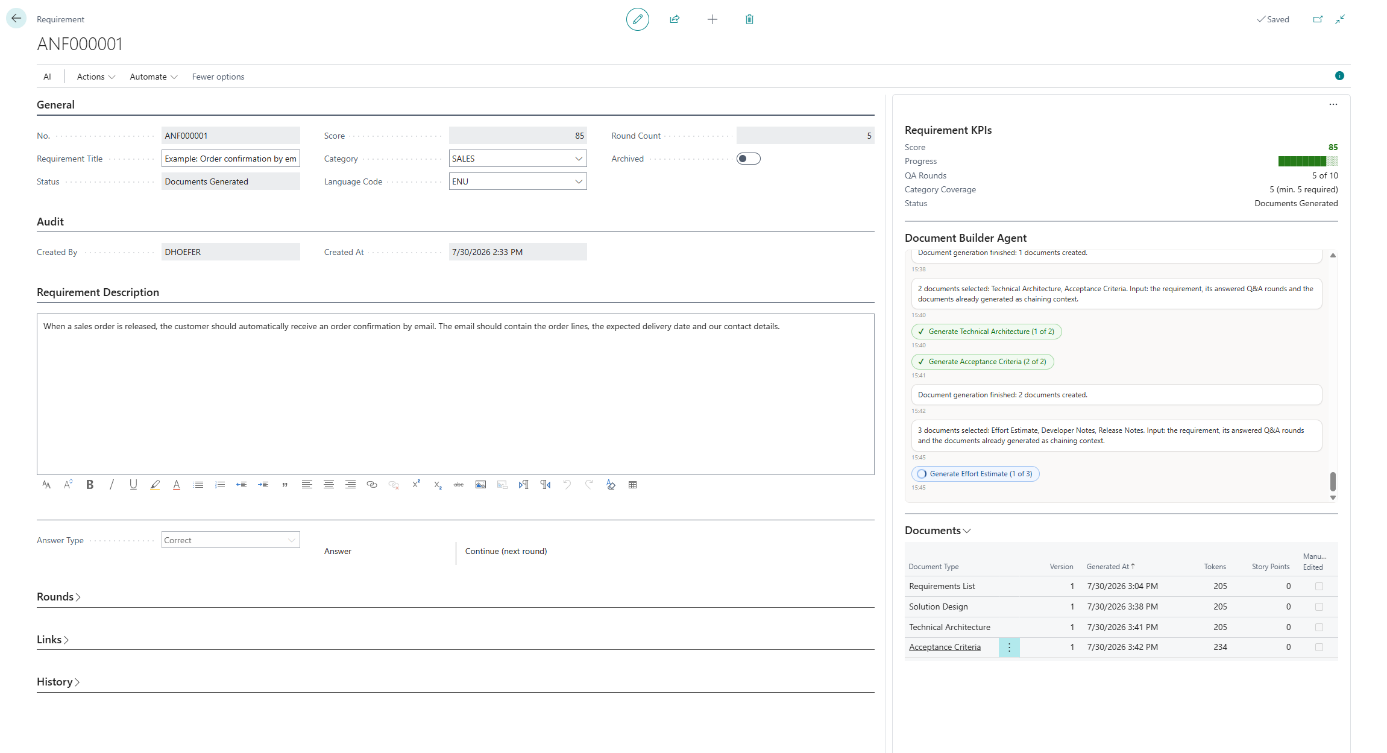
The Document Builder Agent states an assumption and asks one focused question per round, scoring completeness until your threshold is reached.
Generate
One click produces up to seven specification documents — as Markdown and letterhead PDF, versioned and editable.
Send
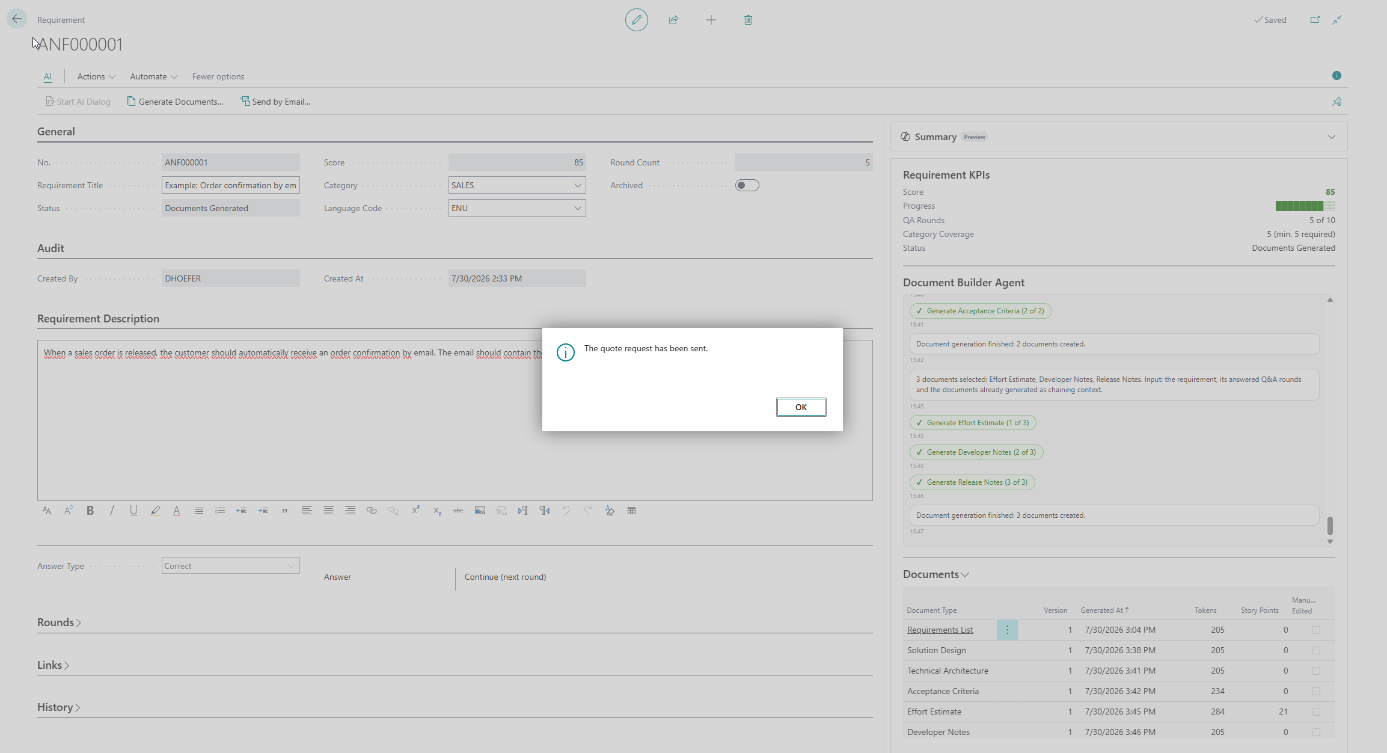
Dispatch the complete package as a quote request via the standard Business Central email — fully logged in the requirement history.
Requirements that don't get lost in translation
A structured AI dialog turns rough ideas into precise, testable specifications your developers can build from.
Guided AI dialog
Like an experienced consultant, the agent works through defined question categories — process, data, integration, business rules, UI, security — until nothing important is left open.
Score-driven quality gate
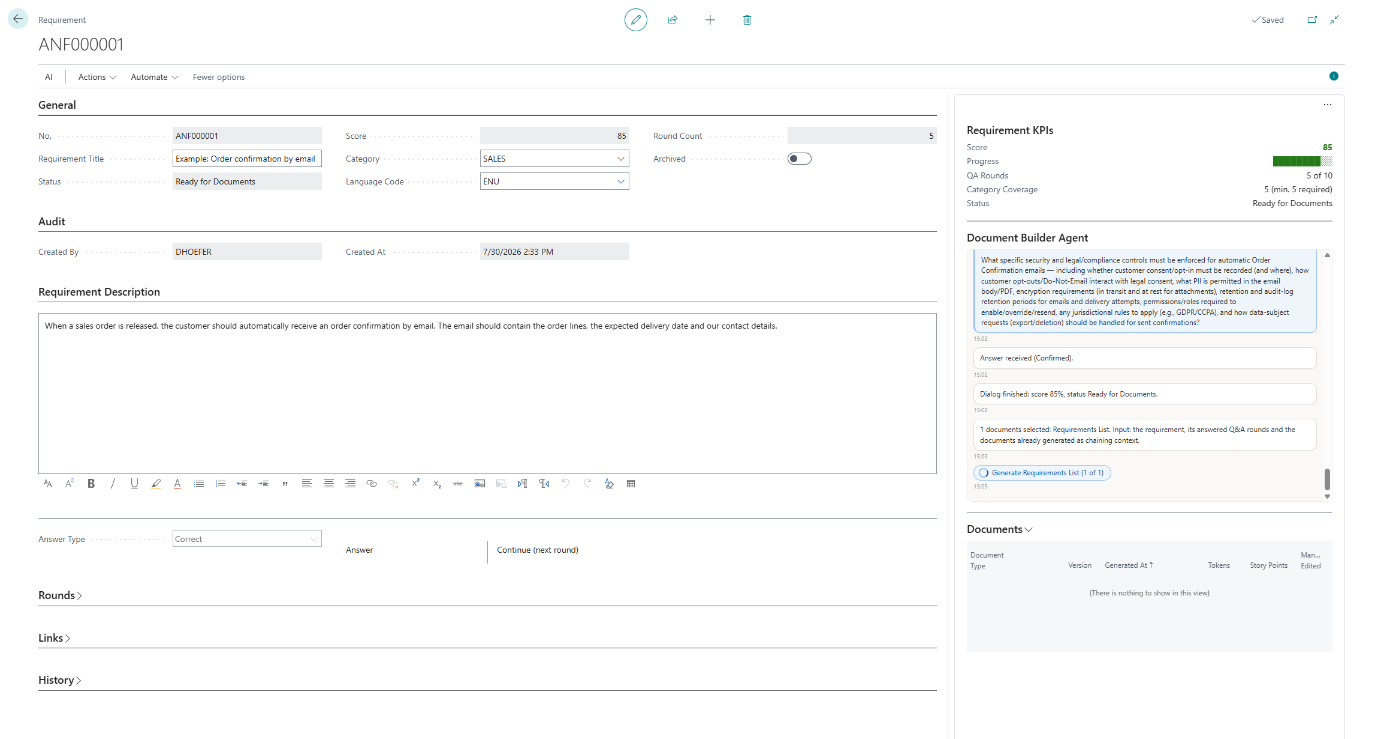
Every answer updates a quality score. Documents are only generated once the requirement reaches your configurable threshold — at least five categories covered, within ten rounds.
Seven documents, one click
Requirements List, Solution Design, Technical Architecture, Acceptance Criteria, Effort Estimate, Developer Notes and Release Notes — each as Markdown and PDF.
Full audit trail
Every Q&A round, status change and document version is logged with timestamp and user — complete traceability from idea to spec.
Quote request by email
Send the whole package as PDF attachments through the standard Business Central email — reviewed in the editor, then dispatched with one click.
Your AI, your choice
Run on the Microsoft-billed Business Central AI resources — or on your own Azure OpenAI, OpenAI or Anthropic subscription, on-premises included. One setting decides.
One click, seven documents
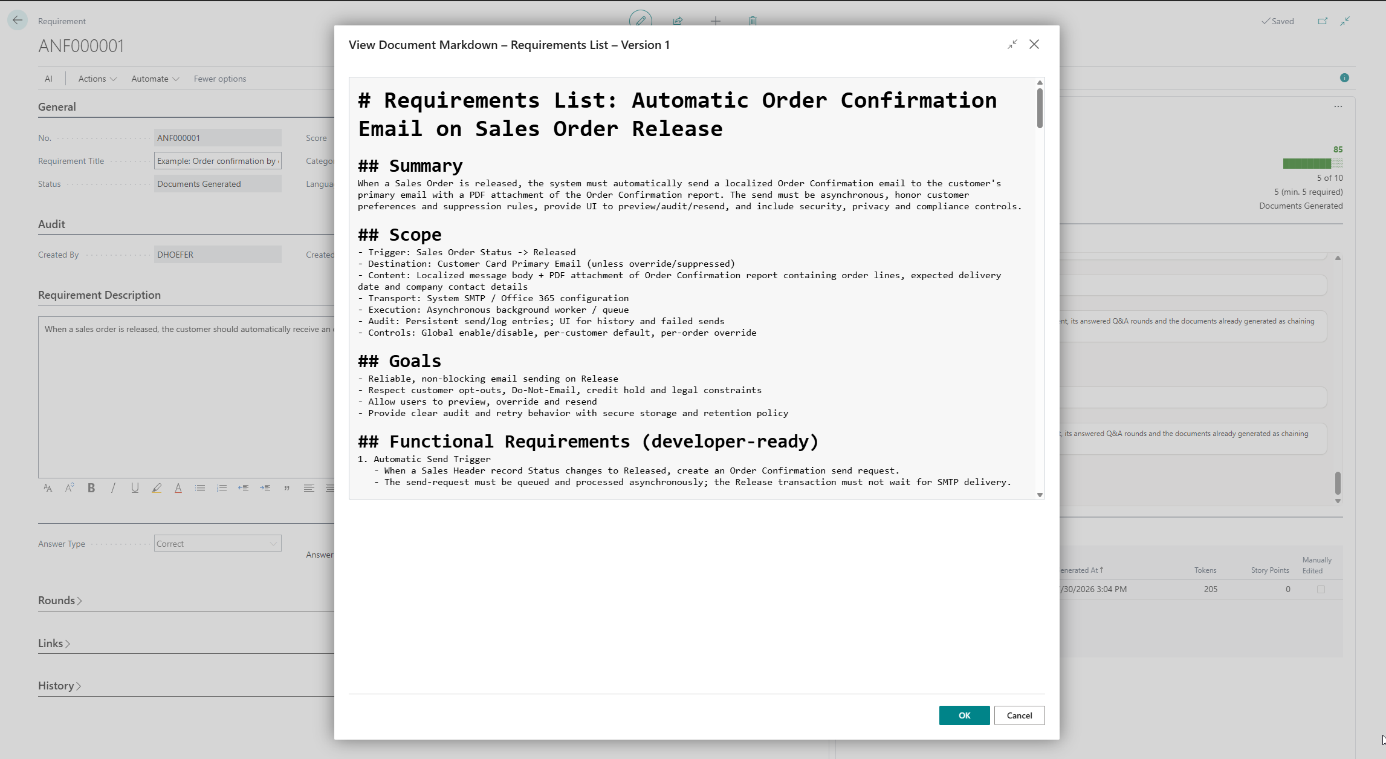
Each document is generated from the requirement, the answered Q&A rounds and the documents already produced — consistent, versioned and ready to hand over.
- 1
Requirements List
Summary, scope, goals and numbered functional requirements.
- 2
Solution Design
The proposed solution approach, translated from the clarified requirement.
- 3
Technical Architecture
How it fits together technically inside Business Central.
- 4
Acceptance Criteria
Gherkin-style Given / When / Then scenarios, ready for test automation.
- 5
Effort Estimate
An estimate with story points and an hour range on the requirement.
- 6
Developer Notes
Implementation guidance and considerations for the dev team.
- 7
Release Notes
A ready-to-use summary of what the change delivers.
Watch the walkthrough
AI Requirements Bridge in action — from the first requirement to the generated specification package, recorded live in Business Central.
The video is embedded via YouTube's privacy-enhanced mode. Open on YouTube →
See it in action
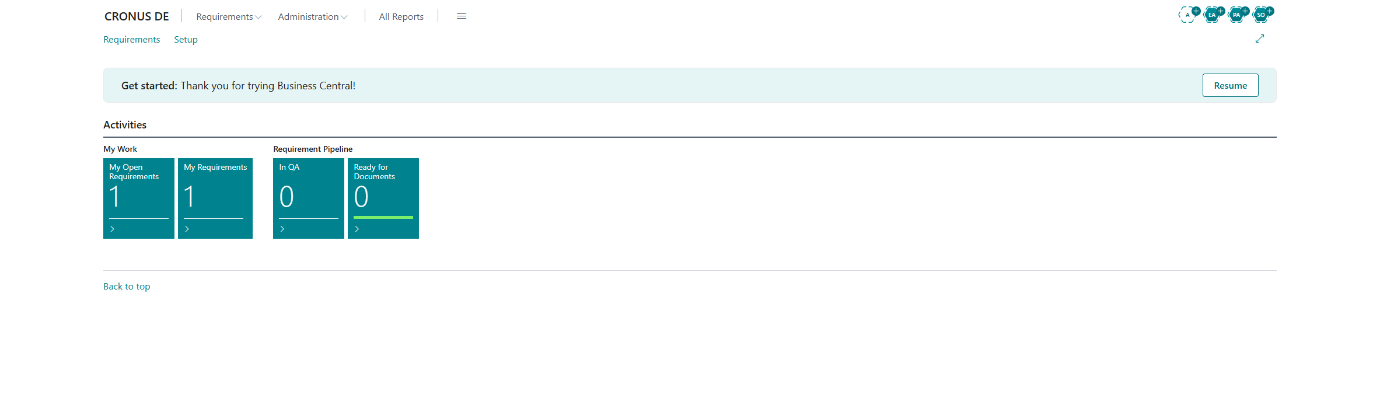
Original screens from an end-to-end walkthrough in Business Central.
Built for trust
AI Requirements Bridge uses generative AI — with the human firmly in control.
The human decides
The AI never acts on its own. Every question needs an answer, generation starts only on an explicit action, and nothing is sent automatically.
AI content is marked
Every generated PDF carries a visible transparency note — a reminder to verify correctness and completeness before further use.
Your data isn't training data
In the default mode, processing runs on the Microsoft Copilot infrastructure of Business Central; customer data is not used to train the underlying models. Configure your own AI provider, and its contract and commitments apply — you decide.
Transparent billing
AI usage is billed through Microsoft Copilot consumption billing — or directly by your own AI provider. The token consumption of every document is shown either way.
On/off, anytime
An administrator activates the Copilot capability and can deactivate it at any time — all other app functions keep working.
Drafts, reviewed by you
Generated documents are drafts. They should be reviewed by a professional before use as a contractual or implementation basis.
Want the detail on data handling and billing? Read about the Copilot capability →
See it on your own requirements.
Get the app from Microsoft AppSource — including a 30-day free trial — or book a walkthrough with our team first.