Your key figures — always in view, like a stock ticker.
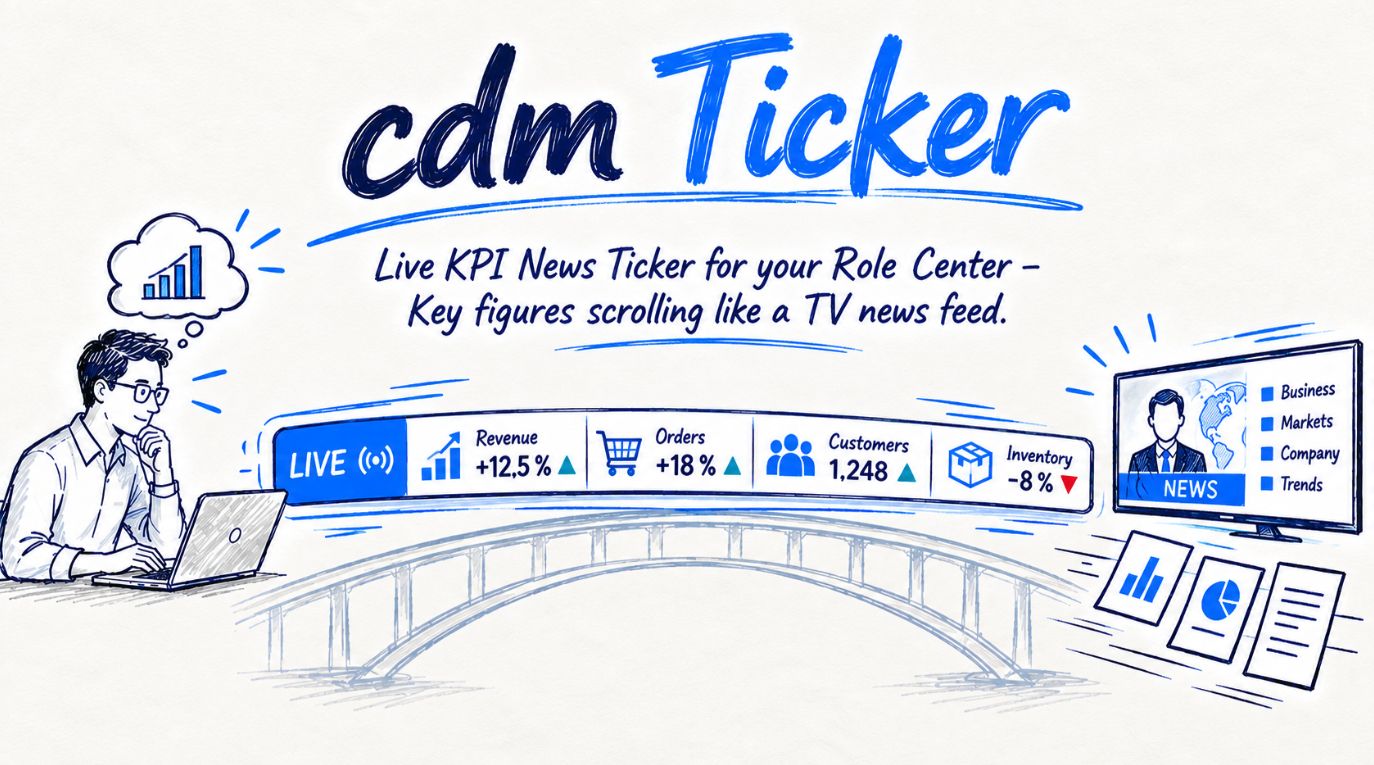
cdmTicker adds a scrolling band of live KPIs to the role center of Microsoft Dynamics 365 Business Central. The values refresh every 60 seconds on their own, and a click on any KPI opens the matching document list — no scrolling, no hunting for tiles, no external services.
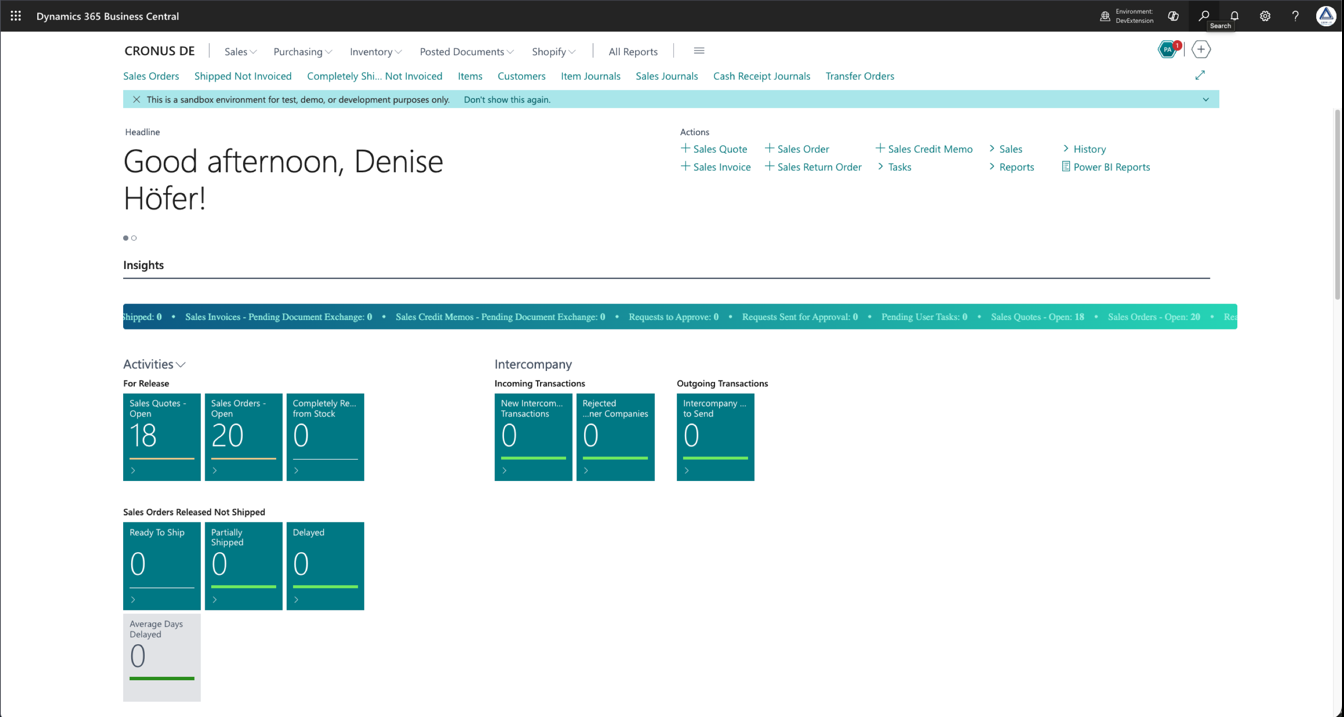
The band from the walkthrough in the default colors — hover over it and it pauses.
From a plain role center to a live ticker in minutes
The flow from the Key Usage Scenario Guide — four steps, all on a single setup page in Business Central.
Install & initialize
Install the app from AppSource, assign the cdmTicker permission set, open Ticker Setup and choose Initialize Standard KPIs. The app builds the KPI catalog for all 15 role centers.
Enable & select
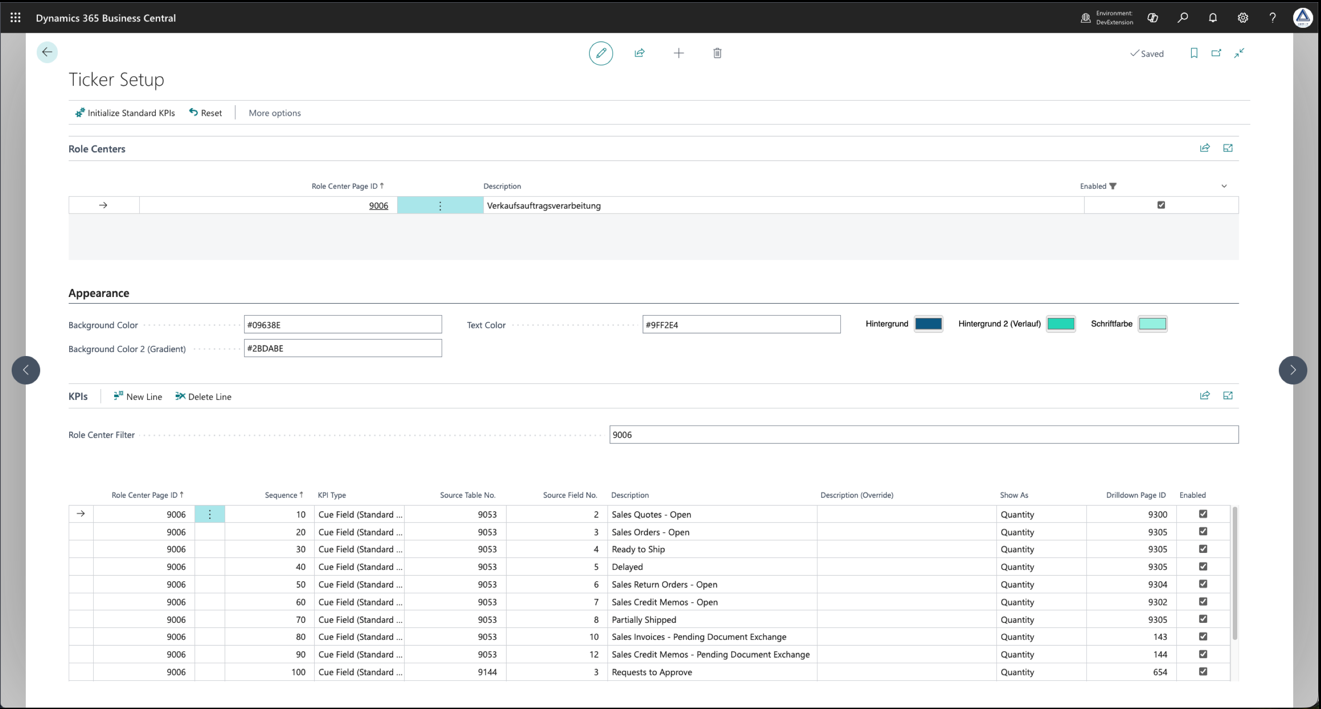
Enable the role center, tick the KPIs you want, add the five built-in KPIs as global lines — or add any other standard tile as a cue field with lookups for table and field.
Style
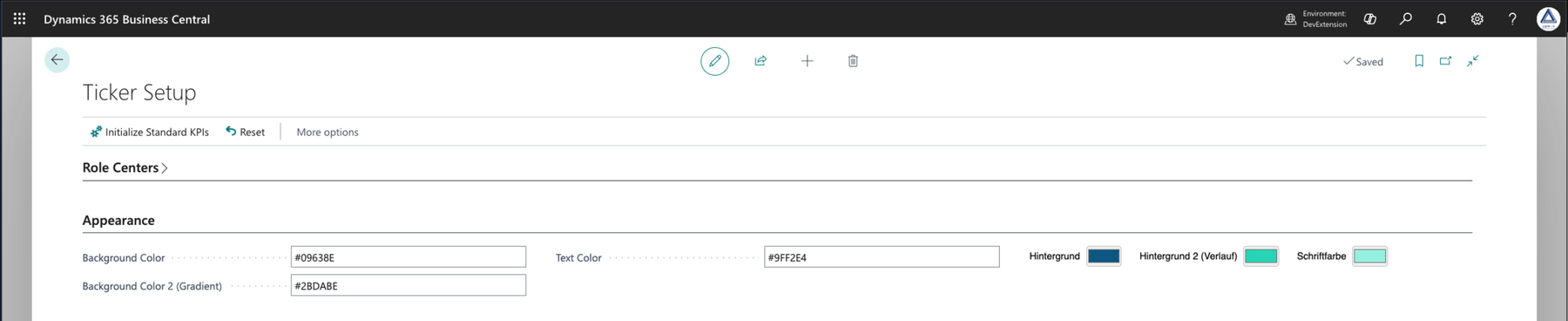
Pick background, gradient and text colors with the color picker or as hex values. The defaults come from the Business Central logo and can be restored at any time.
Use
The band runs in its own row above the activity tiles, refreshes every 60 seconds, pauses on hover and opens the matching list with one click — in the user's language and under the user's permissions.
The numbers that matter — for every role
cdmTicker turns tiles you have to look for into a band you cannot miss.
Live KPIs as a marquee
The band requests fresh values from Business Central every 60 seconds. If nothing changed, the animation is left alone; if a value changed, the band is rebuilt with the new content.
One-click drilldown
A click on a KPI opens the related list — for example Sales Orders or Customer Ledger Entries. The band pauses while the mouse hovers over it, and the value under the pointer is underlined.
Any standard tile as a KPI
Five built-in KPIs, every countable cue field from 16 supported standard tables and the user's pending user tasks — with the same filters as the original tile, so ticker and tile always match.
Configured per role center
15 standard role centers are supported. Each KPI runs in one role center or globally in all enabled ones — global lines first, then the role center's own lines, each in your sequence.
Colors your way
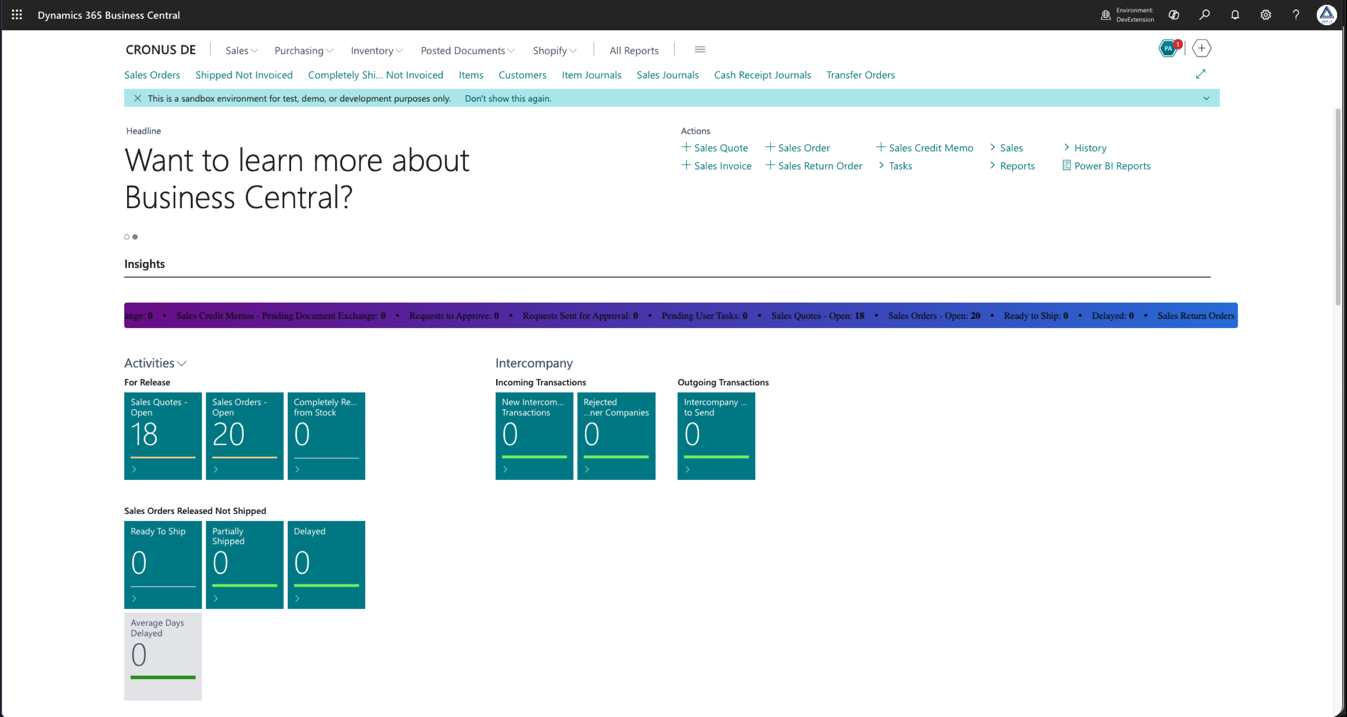
Solid or horizontal-gradient background, free text color — via color picker or hex input, and both stay in sync. One action restores the logo colors.
Extensible for developers
The KPI type is an extensible enum. Through integration events you calculate your own KPIs, override cue filters or supply rehearsal data for custom KPI types.
Seven KPI types, one band
Every line in Ticker Setup has a type. Five bring their own calculation and drilldown target — the other two open up the entire standard.
- 1
Open Orders Count
Number of open sales orders (document type Order) in the company.
Drilldown: Sales Order List - 2
Order Backlog (Amount)
Sum of Outstanding Amount (LCY) over all sales order lines — the not yet invoiced backlog in local currency.
Drilldown: Sales Order List - 3
Shipments Today
Number of posted sales shipments with today's posting date.
Drilldown: Posted Sales Shipments - 4
Invoiced Today
Sum of Sales (LCY) of customer ledger entries of type Invoice posted today.
Drilldown: Customer Ledger Entries - 5
Overdue Receivables
Sum of Amount (LCY) of detailed customer ledger entries whose initial due date lies before today.
Drilldown: Customer Ledger Entries - 6
Cue Field (Standard Cue)
The value of any countable standard tile — table and field chosen via lookup, calculated with the filters of the original tile.
Drilldown: built-in mapping per tile, e.g. Sales Orders - Open → Sales Order List - 7
Pending User Tasks
Number of the current user's pending user tasks.
Drilldown: User Task List
A manually entered drilldown page takes precedence for every type. The full reference with all 16 cue tables and 15 role centers is in the documentation →
See it in action
Original screens from the walkthrough in the CRONUS demonstration company — Sales Order Processor role center.
Calculated in Business Central. Nowhere else.
cdmTicker needs no external service and no AI — every value is produced where your data lives.
No data leaves the environment
All KPIs are calculated inside Business Central. No external service is called and no AI is involved.
Permissions stay permissions
Every KPI is evaluated under the permissions of the user looking at the band. What they could not see on a tile, the ticker does not show either — the line is simply left out.
A broken KPI never takes the band down
Each line is calculated in isolation. If a permission is missing or a field became obsolete after an upgrade, the rest of the band keeps running unchanged.
Values match the tiles
For every cue table the app applies the same filters as the role center's activities page — work date, due date, user and location included.
Upgrade-safe
Initialize Standard KPIs merges instead of overwriting: existing lines are kept, new tiles are added — your configuration is never lost.
Rehearsal before go-live
SUPER users can create about 10,000 records per KPI type in sandbox or test environments and delete them again — a load rehearsal before the ticker goes live.
Details on data handling, telemetry and licensing? Read the End User License Agreement →
See your numbers run.
cdmTicker is coming to Microsoft AppSource shortly. Book a walkthrough with our team now — on your own role center.